How to share a tier list
There are two ways to share a TierZilla board: an image anyone can see anywhere, or a link that opens the board itself.
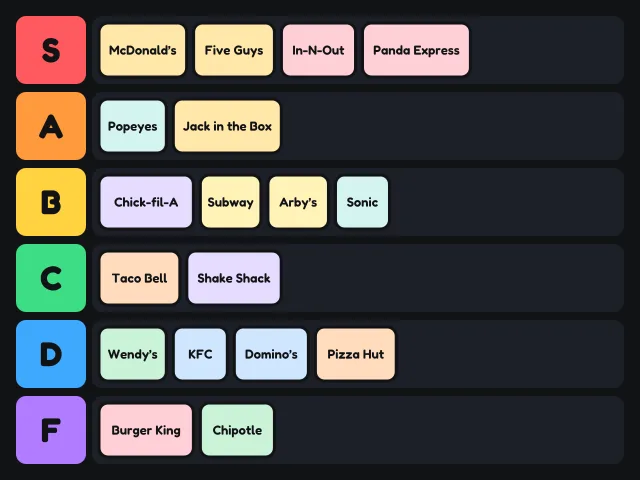
Save as an image
Press Save PNG above the board. TierZilla draws the whole board, with its title, tiers and every card, into a PNG image 1280 pixels wide and downloads it. The image is as tall as the board needs, so long lists are never cut off. A small "made with tierzilla.com" line sits in the bottom corner.
Images work everywhere: Discord, X, Reddit, group chats and stories. On a phone, the file goes to your downloads, or to Files on an iPhone, and from there you can post it to any app.
For TikTok, Reels and Shorts
Vertical video apps crop to a tall frame. Two things work well:
- Record the screen while you rank. Use your phone's screen recorder, open the board and drag the cards as you talk. Viewers like seeing the choices happen. Blind ranking works especially well on video.
- End on the saved image. Add the PNG as the last frame of your video so people can pause on the final result.
Share a link
Press Copy link. TierZilla packs the board's title, tiers, tier colours, text cards and template pictures into the link itself and copies it. Anyone who opens the link sees your board exactly as you left it and can move the cards around to make their own version. Their changes do not affect yours.
Pictures you added yourself are the one exception. They stay on your device, so the link carries them as text cards named after the original file. If your board is mostly your own photos, share the PNG instead.
The board travels inside the part of the link after the # sign, which browsers do not send to our server. We never see or store shared boards.
Share from your phone
On a phone the button says Share instead of Copy link. It opens your phone's own share menu with two things ready: the picture of your board and the link to it. Pick WhatsApp, Messages, Instagram, Discord or any other app and both go together, so your friends see the ranking right in the chat and can tap the link to open the board.
Some apps, such as Instagram Stories, take only the picture. That is fine: the "made with tierzilla.com" line tells people where it came from.
Which one should I use?
- Use Save PNG to post your verdict.
- Use Copy link to challenge a friend to rank the same cards, or to keep working on another device.
Tips
- Put the ranking rule in the title, for example "Fruit, ranked on taste". It saves a lot of arguing in the replies.
- Remove empty tiers before saving if you want a tighter image: click the tier label, then Delete tier.
- Rename tiers for jokes. "Elite", "Fine", "Who asked for this" reads well in an image.