How to make a tier list
Making a tier list takes about a minute. Making one people agree with takes a little more thought. This guide covers both.
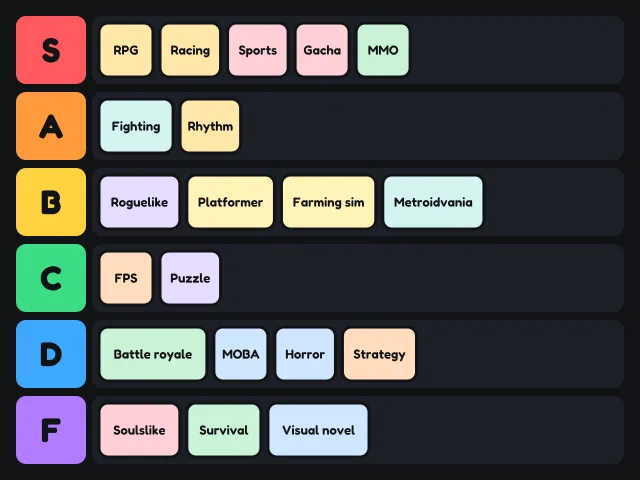
Step by step
- Pick a starting point. Open the tier list maker or choose one of the templates. A template already has its cards in the Unranked row.
- Add your own cards. Type a name into the box under the board and press Enter. To add many at once, press Paste a list and put one name on each line. For pictures, press Add pictures, drop image files onto the page, or paste a copied image. Pictures are shrunk in your browser and are never uploaded.
- Set up the tiers. The board starts with S, A, B, C, D and F. Click a tier label to rename it, recolour it, move it up or down, or delete it. Press Add a tier for more rows.
- Rank. Drag each card into a tier. On a phone you can also tap a card and then tap a tier. With a keyboard, tab to a card, press Enter, then press the tier's letter.
- Give it a title. Click the title above the board and type. The title appears on the image you save.
- Share it. Save PNG downloads an image. Copy link makes a link that opens your board for anyone. Sharing a tier list has more detail.
Your board saves itself in your browser as you go, so you can close the tab and come back to it later on the same device.
Tips for a tier list people will respect
Rank on one thing
Most arguments about tier lists happen because two people are ranking on different things. Is this a list of the best fast food, or the best value? The tastiest fruit, or the one you would actually buy? Decide first and put it in the title, for example "Fast food, ranked on taste only".
Place the extremes first
Find your clear favourite and your clear least favourite before anything else. With S and F settled, the middle tiers are much easier to judge because you have something to compare against.
Keep S tier small
If half the cards are in S, the tier stops meaning anything. A good rule is that S holds no more than about one in ten of your items. If too many things feel like S, the bottom few of them belong in A.
Let C mean average
People tend to push everything upwards, which leaves D and F empty. Treat C as "fine, nothing special". Most things in most categories are fine.
Leave out what you have not tried
If you have never eaten it, played it or watched it, remove the card instead of guessing. Press Remove card with the card selected, or drag it onto the Remove card button.
Check it once from the top
When the Unranked row is empty, read the board top to bottom. If anything in a lower tier makes you wince, move it. You can always change your mind until you share.
Want more of a challenge?
Try blind ranking: the cards arrive one at a time and you cannot move them afterwards. It is much harder than it sounds, and it makes a better video.